 SimpCAD
 Easy 3D design,
made for your printer.
SimpCAD X is as easy as dragging shapes onto a print bed, with the tools you reach for when a print really matters: exact sizes, cutting big models to fit, overhang warnings and STEP export.
- No account
- Works offline
- Your files stay on your PC
- STL, 3MF, OBJ & STEP
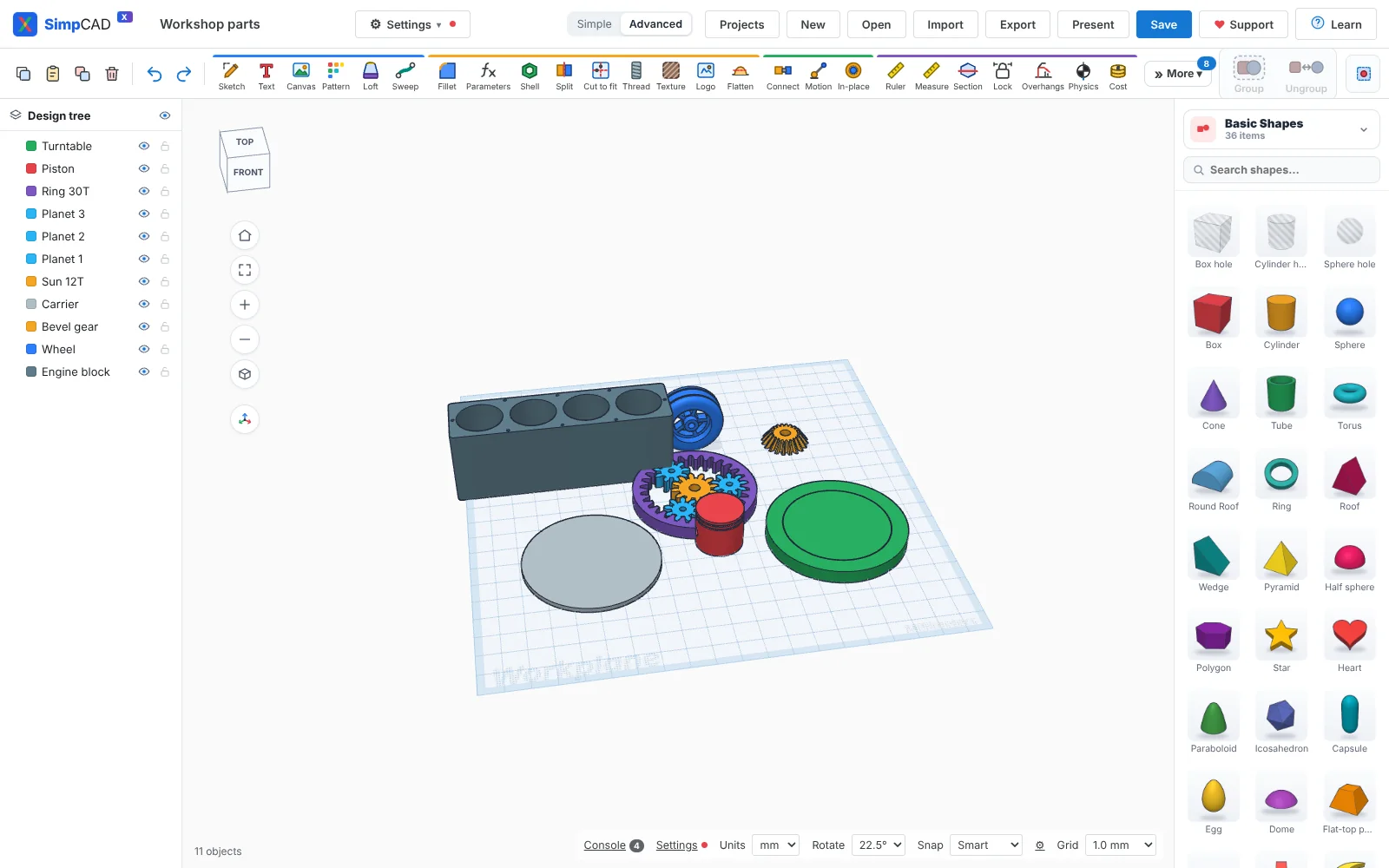
Simple on the surface. Serious underneath.
Start with Simple mode and the everyday tools. Switch to Advanced when a part needs more.
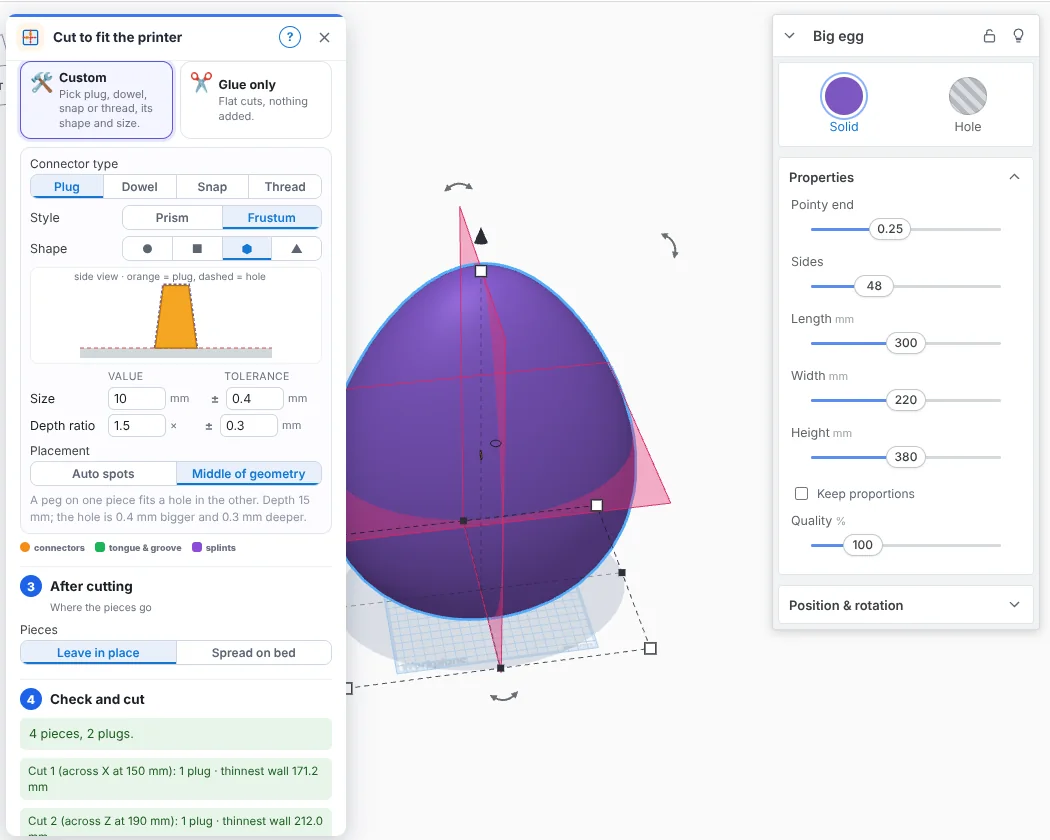
Too big for the bed? Cut it into pieces that fit.
Pick how many pieces, move or tilt each cut to the millimetre, and choose how they join back together.
- Planar or dovetail cuts
- Plugs, dowels, snaps or threads, with your own size and tolerance
- Pieces laid flat on a cut face, pegs up, ready for the slicer
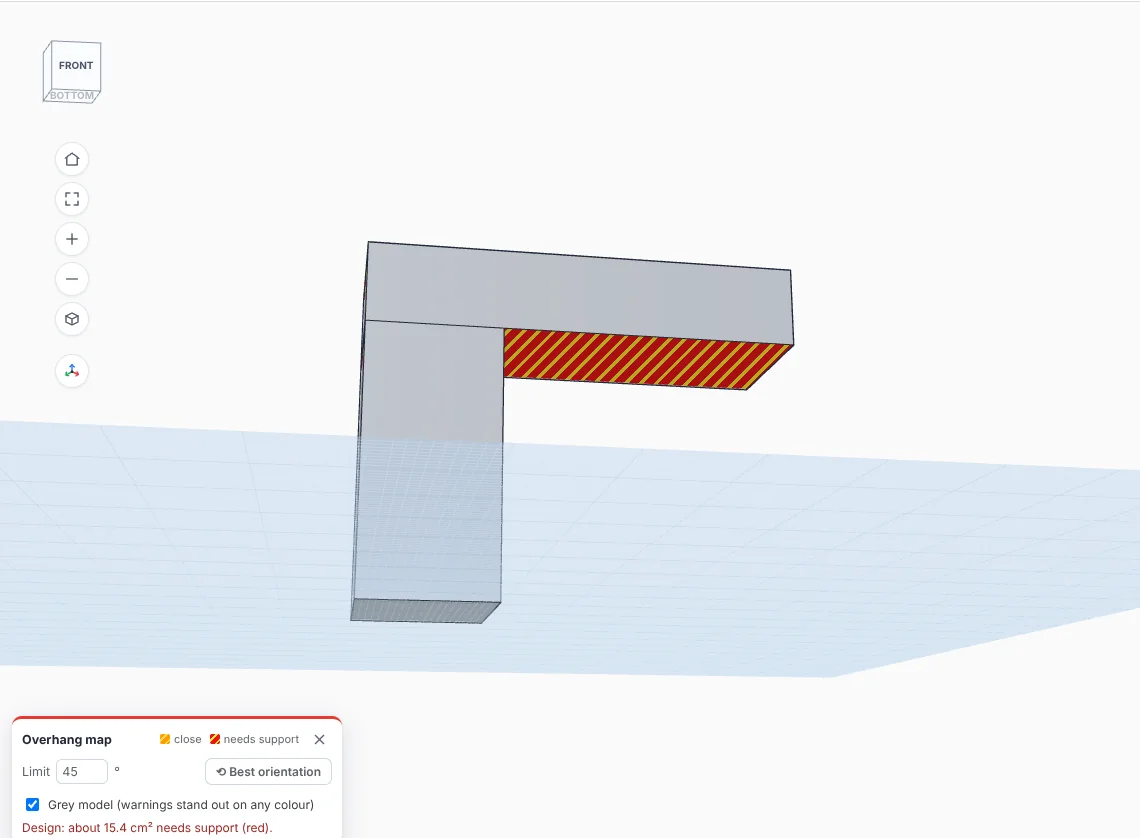
See what needs support before you slice.
Faces that lean out too far get warning stripes while you design, on any colour of part. One click turns the part to its best way up.
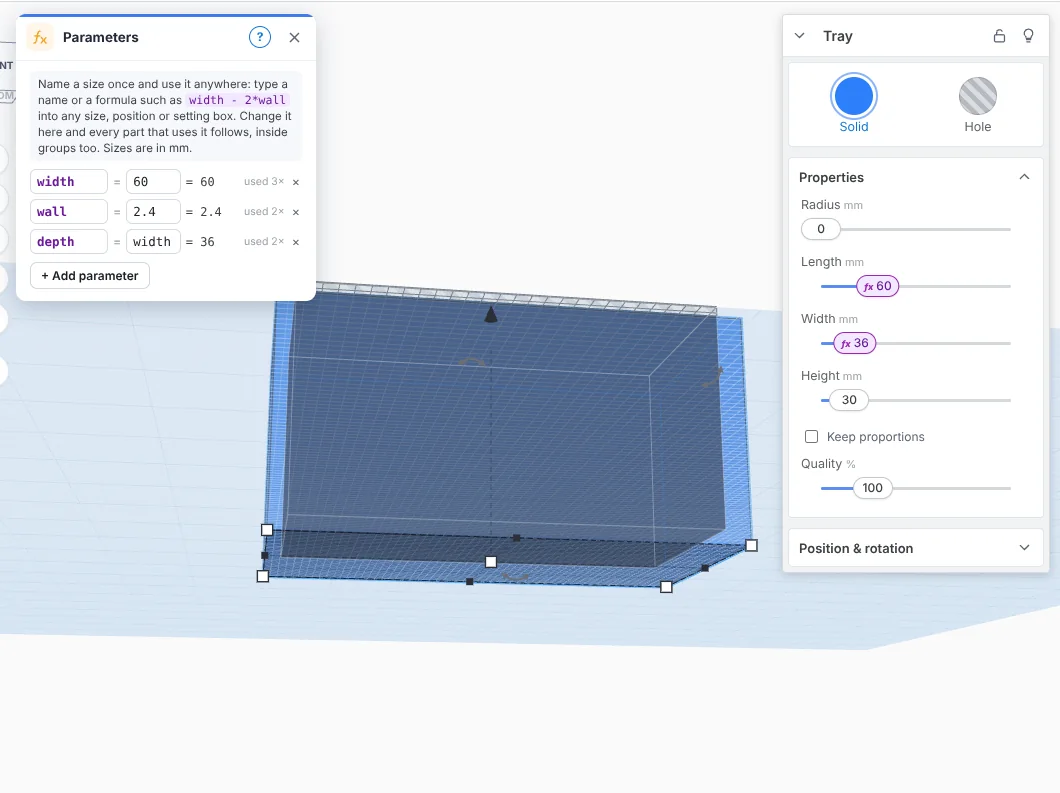
Name a size once. Change it everywhere.
Type width - 2*wall into any size box. Change width and every part that uses it follows, even inside groups. Lock the distance between two parts and it holds when you move things.
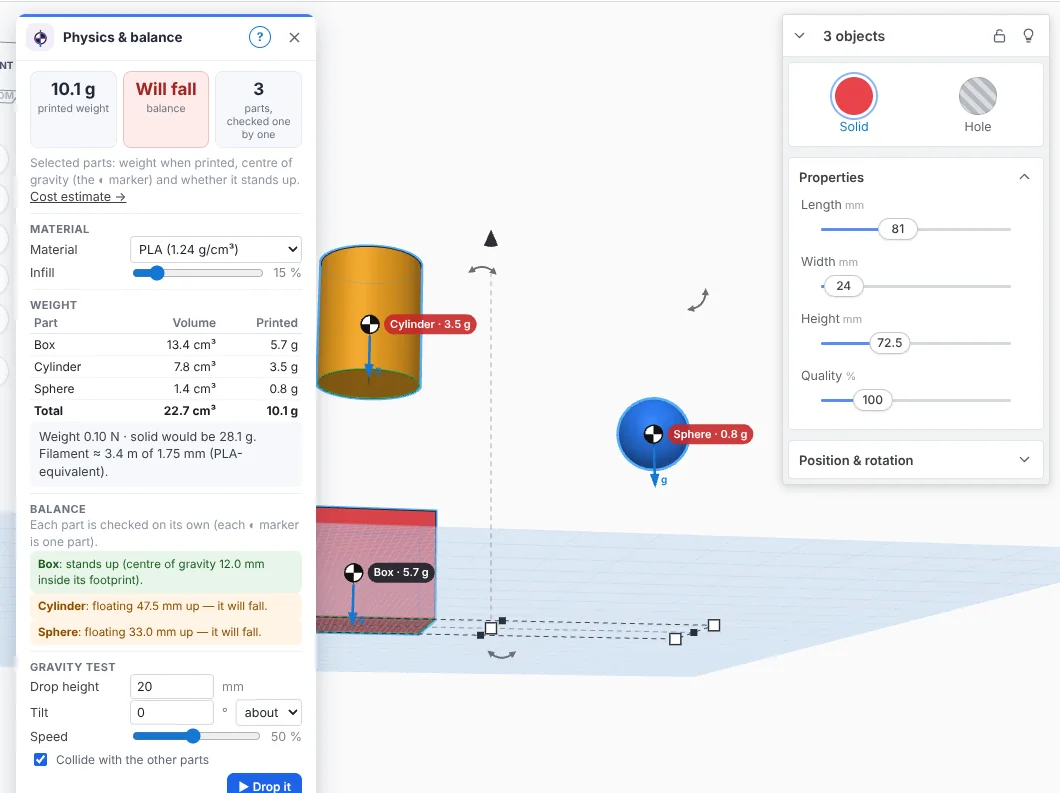
Will it stand up? Drop it and see.
Printed weight for your material and infill, the centre of gravity of every part, and a drop test where each part falls on its own and lands on the others.
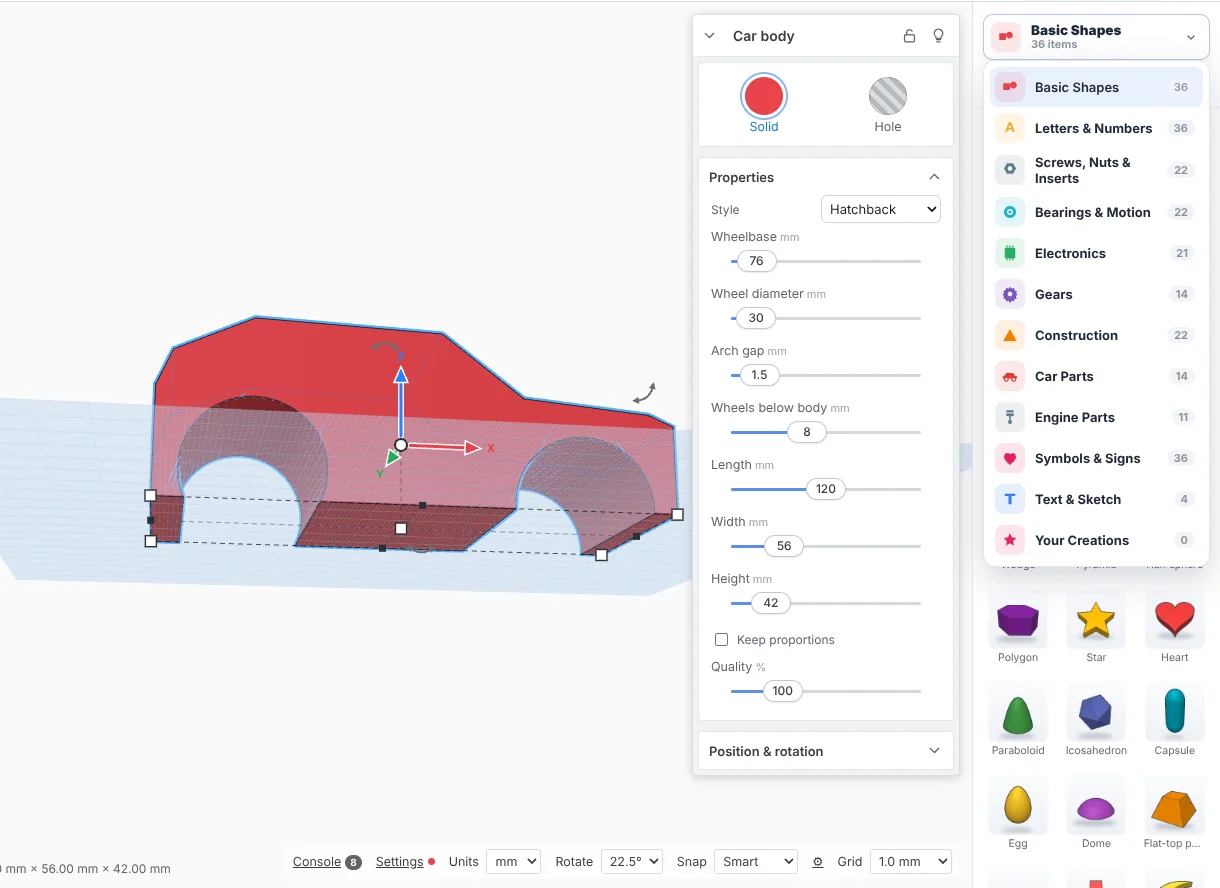
Hundreds of parts, ready to drop in.
Gears and sprockets, bearings and rails, screws and nuts, project boxes, car and engine parts. Every part has real settings and is checked to print watertight.
Your designs are yours.
Offline
Everything runs on your PC. No account, no sign-in, no internet needed to design.
No tracking
Nothing is sent anywhere unless you switch it on. The optional user count sends a random number and the version, nothing else.
Open formats
STL, 3MF with colours, OBJ and real STEP solids that open in other CAD programs.
Get SimpCAD X 4.6.1
Unzip and double-click SimpCAD-X.exe. Nothing to install. It opens in its own window.
Windows shows “Windows protected your PC”?
That's normal for new programs from small makers that aren't code-signed yet. To run it:
- Click More info
- Click Run anyway
Only download SimpCAD X from this website. You can check your download matches the official one:
ZIP SHA-256: 7d9ebc0915a6961808f628a224a13bbaa20430569e23592e462e2271d42cbb47
EXE SHA-256: d22bb48cb3745e07320e0f6d71182d8a90a52ef885e6db1f053e4fb7ac81363f
Questions
Is it really free?
Yes. If it helps you, the Supporter button inside the program lets you chip in. It never nags and never locks features.
Can I open my Tinkercad designs?
Yes. Export from Tinkercad as OBJ (the .zip) or GLB and open it in SimpCAD X; each part keeps its colour. 3MF files from slicers open too.
Which printers does it know?
Bambu Lab, Prusa, Creality, Elegoo, Anycubic and more. Pick yours in Settings: the print bed, clearances and thread fits follow it.
Does it work on Mac or Linux?
Not yet. SimpCAD X is for Windows 10 and 11.
What's the AI designer?
An experimental beta, hidden unless you turn on Settings → Beta tools. It uses Ollama, a separate free program that runs on your own PC.